
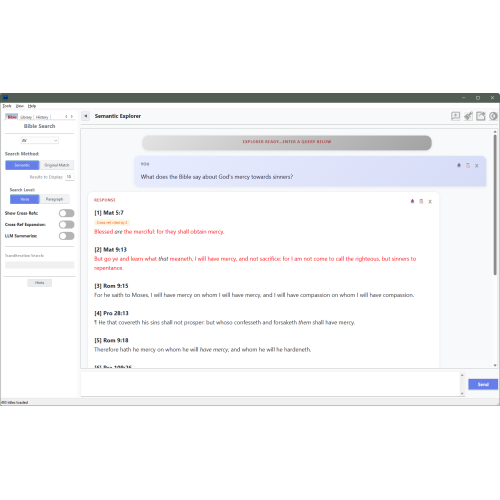
Semantic Explorer
- Product Code: ID-195
- Availability: In Stock
-
$8.00
Semantic Explorer
Ask Your Bible and Library Anything!
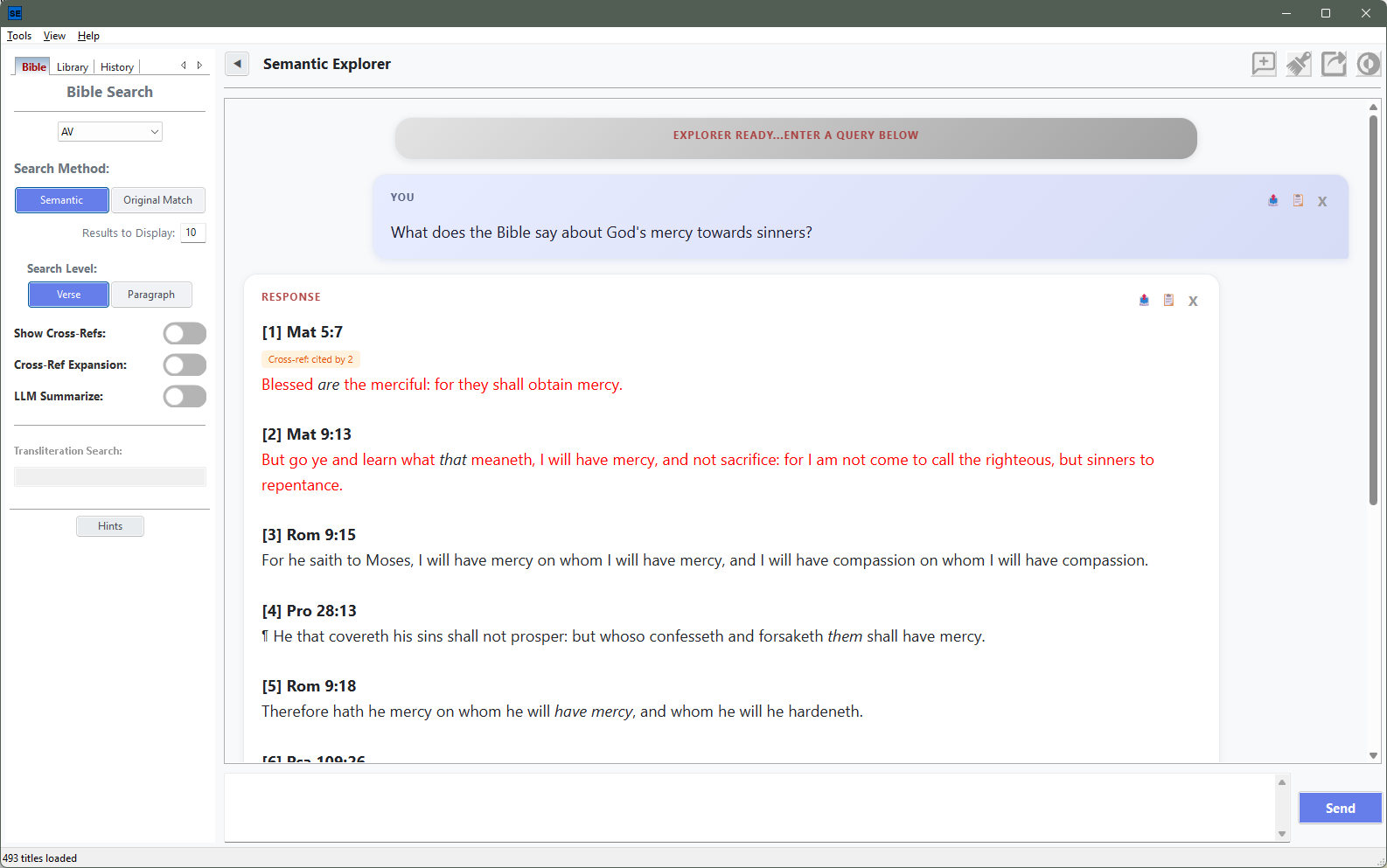
New in Bible Analyzer: Semantic Explorer, a chat-style study window that finds Scripture and your best commentaries by meaning, not just by matching words.
Open it from Bible Analyzer and you get a conversational workspace: type a question on the right, set your search options on the left, and watch a sourced answer build up in front of you.
Search the Bible by meaning
Ask in plain English — “What does the Bible say about God’s mercy toward the fallen?”, “contrast law and grace”, “peace that surpasses understanding” — and Semantic Explorer retrieves the passages whose meaning matches your question, even when not a single word overlaps. Search at verse level or across paragraph blocks, choose how many results to display, and pick the translation from the Bible Analyzer versions you already have installed.
Smart scope detection does the narrowing for you: “Where does Paul write about resurrection?” filters to Paul’s letters, and “What did Jesus say about the last days?” filters to the red-letter words of Christ — no filters to set.
Word studies in the original languages
Switch the Bible tab to Original Match and work directly with the Greek and Hebrew:
- Look up any Strong’s number (
G26,H7307) or transliteration (agape, sheol, logos) with autocomplete - Ask natural questions — “What is ‘hell’ translated from?”, “where is agapao used as love”
- Get a full original-word table: Strong’s number, language, original script, transliteration, and verse count, with matched words highlighted in context
- Narrow any study to a book or chapter range:
H430 in Genesis 1-5
Cross-references that work both ways
Every verse carries hand-curated TSKA cross-references, exposed through two toggles:
- Show Cross-Refs adds a “See also:” line under each result — hover to preview the verse, click to open it in Bible Analyzer’s main window
- Cross-Ref Expansion adds a second retrieval arm: it pulls the cross-referenced verses of your top hits into the results, even when their own text similarity was too low to surface them, and boosts topical hubs cited by several hits
That means a query like “what is a soul” finds and — passages a keyword search would never connect to the question.
Ask your library — commentaries, dictionaries, books
The Library tab searches your entire collection of .cmt, .dct and .bk titles at once:
- AI Summary — the model reads the retrieved chunks and synthesizes a coherent, cited answer
- Raw Passages — see exactly what each source says, with reference links that open the passage in Bible Analyzer’s Commentary, Dictionary or Book panel
- Compare Sources Evenly — give every selected title an equal share of the results, ideal for “How do different commentaries explain ?”
- Query Expansion and AI Query Rewrite (HyDE) widen recall for topical and complex questions
- Type filters, a title search box, All Visible / None / Show selected only — and your title selection is remembered for next time
Answers you can audit
Semantic Explorer’s AI is a research assistant, not an oracle. It never answers from memory or injects its own theology — it works only from the passages it retrieved and shows you its work:
- Sources list every passage behind the answer
- Source Chunks opens the exact retrieved text
- Copy Prompt puts the complete prompt — sources, excerpts and question — on your clipboard
- Knowledge-graph tags surface the People, Places and Time of each result
A personal profile that frames the answers
Set your Personal Theological Profile — tradition, theological position, view of Scripture, salvation, eschatology — and summaries are framed respectfully within your own perspective. Export it whenever you like.
Your studies, saved
Every chat is saved as you go, with the full study context recorded alongside it: translation, search method, result count, every toggle, and the source titles you had selected. Rename, duplicate, filter, export to HTML, or hit Use Saved Settings to reproduce a study months later — exactly as you ran it. Up to 50 chats are kept, and a damaged history file is set aside rather than deleted.
Private by design
Semantic search runs entirely on your own machine — nothing is sent to the cloud. AI features are optional: a one-click download (with disk-space and memory checks) installs a ~ GB local language model (Gemma 3 4B via llama.cpp) for summarization, query expansion and HyDE. Without it, semantic search, word studies and cross-references still work in full.
Under the hood, meaning is captured with 384-dimension BGE embeddings stored in compact int8 vectors inside sqlite-vec indexes — so results arrive fast even across a large library.
Built for long study sessions
Dark mode, adjustable chat font (Ctrl+= / Ctrl±), line-spacing control, a dyslexia-friendly font mode, a collapsible options panel, a Stop button for streaming answers, and built-in Hints popups plus full user manuals (Help → F1 Bible Search, F2 Library Search) on every tab.
See This Page for more details and photos
See this Youtube Video for an active demonstration