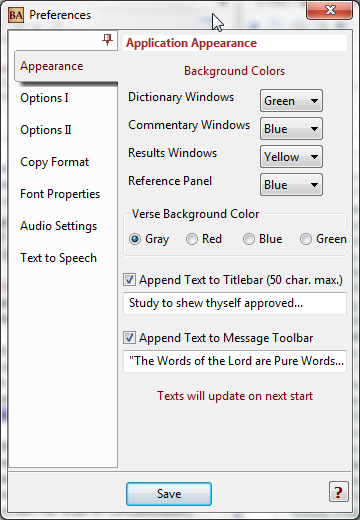
This Tab allows the user to change the appearance of various items.
The background colors for the four main Windows can be selected from the
corresponding drop-down list.
There are four options for the current verse
background color in the Bible Window
If the corresponding box is checked and custom text is in the Entry Boxes, the Titlebar
and/or Toolbar can have the entered text appended to them. The texts will update on
next Bible Analyzer start.
Options will update on Save.